The Amazon Fire Stick is by far the most popular device for watching IPTV Ireland — and it is easy to see why. For under €60, you get a tiny device that plugs into any television and turns it into a full-blown streaming powerhouse with access to over 25,000 live channels. No Smart TV required, no satellite dish, no engineer visit. Just plug it in, install an app, enter your credentials, and you are watching live Irish television, Premier League football, and Hollywood movies within minutes.
But while the Fire Stick is brilliant for IPTV Ireland, getting the absolute best performance out of it requires knowing a few tricks that most guides skip over. This ultimate guide covers everything — from choosing the right Fire Stick model and installing the best IPTV apps, to advanced performance tweaks and fixing every common issue you might encounter.
Which Fire Stick Should You Buy for IPTV Ireland?
Amazon currently sells several Fire Stick models in Ireland, and not all of them deliver the same IPTV experience. Choosing the right one makes a genuine difference to your streaming quality.
The Fire Stick Lite is the cheapest option at around €35. It handles standard HD streaming perfectly well and is a solid entry point for anyone trying IPTV Ireland for the first time. However, it does not support 4K content, so if you have a 4K television and want to take full advantage of your LeapVillage subscription’s Ultra HD channels, this model will hold you back.
The Fire Stick 4K is the sweet spot for most IPTV Ireland users. Priced at roughly €45 to €55, it supports 4K Ultra HD, HDR10, and Dolby Vision — meaning you get the sharpest possible picture on any compatible television. The processor is fast enough to handle channel switching without lag, and the Wi-Fi chip is significantly better than the Lite model.
The Fire Stick 4K Max is the premium option at around €60 to €70. It has the fastest processor in the range, supports Wi-Fi 6E for the strongest wireless connection, and includes 16GB of storage compared to 8GB on the standard models. For serious IPTV Ireland users who want instant channel switching during live sports and the smoothest possible experience, the 4K Max is worth every cent of the price difference.
The Fire TV Cube is the most powerful option at roughly €140, but it is overkill for IPTV Ireland. Unless you specifically want hands-free Alexa control and the ability to control your TV, soundbar, and IPTV with voice commands, the 4K Max delivers identical streaming performance for half the price.
Our recommendation: if your budget allows, buy the Fire Stick 4K Max. If you want to save money and do not have a 4K television, the standard Fire Stick Lite works perfectly well for HD IPTV Ireland streaming.
How to Install IPTV on Fire Stick: Complete Walkthrough
Setting up IPTV Ireland on your Fire Stick takes less than ten minutes. Follow these steps exactly and you will be streaming before the kettle boils.
Step 1: Enable Developer Options
Turn on your Fire Stick and navigate to the home screen. Go to Settings using the gear icon at the top of the screen. Select My Fire TV, then scroll down to Developer Options. If you cannot see Developer Options, go to Settings, then My Fire TV, then About, and click on your Fire TV Stick name rapidly seven times. A message will appear saying « You are now a developer » and the option will become visible.
Inside Developer Options, find « Apps from Unknown Sources » and turn it on. This allows you to install the IPTV player app, which is not available on the standard Amazon App Store. A warning message will appear — select Turn On to confirm.
Step 2: Install the Downloader App
Go back to the Fire Stick home screen and click the magnifying glass search icon. Type « Downloader » and select the orange Downloader app from the results. Click Download and wait for it to install — it only takes a few seconds.
The Downloader app is a trusted, free utility that allows you to download files directly to your Fire Stick using a URL. It is the safest and most reliable method for installing IPTV apps.
Step 3: Download Your IPTV App
Open the Downloader app. In the URL field at the top of the screen, type the download link for your chosen IPTV player. The two best apps for IPTV Ireland on Fire Stick are IPTV Smarters Pro and TiviMate.
For IPTV Smarters Pro, message us on WhatsApp and we will send you the direct download URL. Enter this URL in the Downloader app, press Go, and the app will download automatically. Once the download completes, a prompt will appear asking you to install — tap Install and wait for it to finish.
For TiviMate, you can find it directly on the Amazon App Store. Go back to the Fire Stick home screen, search for « TiviMate » and install it from there. TiviMate offers a free version with basic features, and a premium version at roughly €5 per year that unlocks advanced features like recording, catch-up, and multi-screen viewing.
Step 4: Log In with Your IPTV Ireland Credentials
Open IPTV Smarters Pro or TiviMate. Select « Login with Xtream Codes API » — this is the standard login method used by LeapVillage and most IPTV Ireland providers.
Enter three pieces of information exactly as provided by our WhatsApp support team: your username, your password, and your server URL. These are case-sensitive, so make sure every letter, number, and symbol matches precisely. Do not add any spaces before or after the text.
Tap Add User and your channel list will begin loading. Depending on the size of the channel list, this may take 10 to 30 seconds on first load. Once complete, you will see categories for Live TV, Movies, Series, and more.
That is it. You are now streaming IPTV Ireland on your Fire Stick.
Best IPTV Apps for Fire Stick in 2026
Not all IPTV apps are created equal. Here is how the top three compare for Fire Stick users in Ireland.
IPTV Smarters Pro
IPTV Smarters Pro is the most widely used IPTV app in the world and the one we recommend for most LeapVillage subscribers. It has a clean, intuitive interface that is easy to navigate with the Fire Stick remote. The built-in EPG shows you what is currently playing and what is coming up next on every channel. It supports Xtream Codes login, which makes setup effortless. The app handles HD and 4K streams without issues and allows you to mark favourite channels for quick access.
The main downside is that channel switching can be slightly slower than TiviMate — typically one to two seconds between channels rather than instant. For casual viewers, this is barely noticeable. For sports fans flipping between simultaneous matches, it can be mildly frustrating.
TiviMate
TiviMate is the premium choice for IPTV Ireland on Fire Stick — particularly popular among sports fans and power users. The interface resembles a traditional cable TV guide with a sleek, modern design. Channel switching is nearly instant, which makes it perfect for flipping between live matches. The premium version adds catch-up TV, recording functionality, and picture-in-picture viewing.
The free version is fully functional for basic viewing. The premium unlock costs approximately €5 per year — a worthwhile investment for anyone who uses IPTV Ireland daily. TiviMate is available directly from the Amazon App Store, making installation even simpler.
XCIPTV Player
XCIPTV is a solid third alternative that sits between Smarters and TiviMate in terms of features. It offers a clean interface, fast channel loading, and reliable performance. It is entirely free with no premium tier required. For IPTV Ireland users who want a no-fuss, no-cost app that simply works, XCIPTV is worth trying.
Our recommendation: start with IPTV Smarters Pro for the easiest setup experience. If you watch a lot of live sports and want faster channel switching, upgrade to TiviMate Premium for €5 per year. Both work flawlessly with LeapVillage IPTV Ireland credentials.
Performance Tweaks: Get the Best IPTV Ireland Experience on Fire Stick
Out of the box, the Fire Stick works well for IPTV Ireland. But with a few simple tweaks, you can dramatically improve performance — especially during peak times like Premier League Saturdays and Champions League nights.
Use Ethernet Instead of Wi-Fi
This is the single biggest improvement you can make. Wi-Fi is convenient but inherently less stable than a wired connection — particularly in Irish homes where the router is in the hallway and the television is two rooms away. The Amazon Ethernet Adapter costs under €15 and plugs directly into your Fire Stick’s USB port. Connect an ethernet cable from your router to the adapter and your stream stability improves instantly. Buffering during live sports drops to virtually zero.
Disable Background Apps and Notifications
The Fire Stick has limited processing power, and background apps can steal resources from your IPTV stream. Go to Settings, then Applications, then Manage Installed Applications. Select any app you are not actively using — Amazon Kids, Freevee, IMDb TV — and choose Force Stop. This frees up memory and processing power for your IPTV Ireland app.
Also go to Settings, then Preferences, then Notification Settings, and turn off « App Notifications » for apps you do not need. This prevents pop-ups from interrupting your viewing during live matches.
Clear App Cache Regularly
Over time, your IPTV app accumulates cached data that can slow it down. Every two to three weeks, go to Settings, Applications, Manage Installed Applications, select your IPTV app, and tap Clear Cache. This forces the app to reload fresh data and often resolves sluggish channel switching or slow EPG loading.
Turn Off Data Monitoring
Go to Settings, then Preferences, then Data Monitoring, and turn it off. This feature tracks your data usage but consumes processing power in the background — power that your Fire Stick needs for smooth IPTV Ireland streaming.
Keep Your Fire Stick Updated
Make sure your Fire Stick is running the latest software. Go to Settings, My Fire TV, About, and select Check for Updates. Amazon regularly releases performance improvements and bug fixes that directly improve streaming quality.
Troubleshooting Common IPTV Ireland Issues on Fire Stick
Even with the best setup, you may occasionally encounter an issue. Here are the most common problems and their instant fixes.
Buffering During Live Streams
Buffering is almost always caused by your internet connection rather than the IPTV Ireland service itself. First, run a speed test on your Fire Stick — go to the Silk or Firefox browser and visit speedtest.net. If your download speed is below 10 Mbps, that is your bottleneck.
Try restarting your router by unplugging it for 30 seconds and plugging it back in. Move your router closer to your Fire Stick or switch to the 5GHz Wi-Fi band instead of 2.4GHz. If possible, connect via ethernet. Close any other devices or apps using your bandwidth — someone streaming Netflix upstairs or downloading a game on a console will compete for the same bandwidth.
If your ISP throttles streaming traffic during peak hours — something Eir and Virgin Media have been known to do — a VPN can bypass this restriction and restore full speeds.
App Crashes or Freezes
If your IPTV app crashes, the fix is usually simple. Go to Settings, Applications, Manage Installed Applications, select your IPTV app, and tap Clear Cache, then Force Stop. Reopen the app and the issue is usually resolved. If it persists, try Clear Data — but note that this will log you out and you will need to re-enter your IPTV Ireland credentials.
If the app continues crashing after clearing data, uninstall it completely and reinstall a fresh copy using the Downloader app. This resolves the issue in virtually every case.
Channels Not Loading or Error Messages
If your channel list fails to load or you see an « Authentication Failed » error, double-check your login credentials. The most common cause is an extra space before or after the username, password, or server URL. Delete and retype each field carefully. Remember that credentials are case-sensitive.
If your credentials are correct but channels still do not load, your subscription may have expired. Message us on WhatsApp to check your account status — we respond within minutes.
No Sound or Audio Out of Sync
If you have picture but no sound, go to Settings, then Display and Sounds, then Audio. Try switching between Stereo, Dolby Digital, and Dolby Digital Plus to find the setting that works with your television or soundbar. If audio is out of sync with the video, restarting the app usually fixes it immediately.
Remote Not Responding Properly
If your Fire Stick remote becomes sluggish or unresponsive, hold down the Home button for 10 seconds to restart the remote. If that does not help, remove the batteries for 30 seconds, reinsert them, and hold the Home button to re-pair. Replace the batteries if they are running low — weak batteries cause input lag that can be mistaken for streaming issues.
Fire Stick Accessories That Improve Your IPTV Ireland Experience
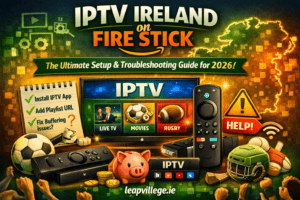
A few inexpensive accessories can significantly enhance your IPTV Ireland viewing on Fire Stick.
An ethernet adapter is the number one upgrade as discussed above. A USB power cable that draws power directly from your TV’s USB port eliminates the need for the separate power adapter and reduces cable clutter — though the dedicated adapter provides more consistent power for the 4K Max model.
A Bluetooth keyboard remote makes searching for channels and entering login credentials much faster than the standard remote’s on-screen keyboard. Generic Bluetooth keyboards work with Fire Stick and cost under €15.
If your TV speakers are not delivering the audio quality you want for sports commentary and movies, a budget soundbar like the Majority Atlas transforms the experience. Clear dialogue and punchy bass make a noticeable difference during live matches and action films.
Get Started with IPTV Ireland on Your Fire Stick Today
The Fire Stick is the perfect partner for IPTV Ireland — affordable, portable, powerful, and incredibly easy to set up. Whether you choose the budget Lite model or the flagship 4K Max, you will have access to 25,000+ live channels and 150,000+ on-demand titles within minutes of plugging it in.
LeapVillage plans start at just €14.99 for one month, and the best-value 12-month plan costs just €49.99 for the entire year. Every plan includes 24/7 Irish WhatsApp support — so if you get stuck at any point during setup, we are right there to help.
Choose your plan on our subscription page and start streaming tonight. Or visit our contact page if you have questions before subscribing.
Already set up and want to explore more? Read our best IPTV Ireland channels guide to discover what to watch first, or check out our sports coverage breakdown to find every live match.
Plug in. Power up. Start watching. Welcome to LeapVillage IPTV Ireland.